User details
The user details page shows the main information about a customer and lets you manage how Storeganise contacts them.Where you see a pencil icon, click it to edit that information.Note: The profile image is the Gravatar linked to the user's email address. It isn't added or edited in Storeganise. The owner of the email address manages it through Gravatar.

You can also add tasks to a user and assign them to a team member. See Tasks and reminders.
 The User ID is set by the system, and the Joined date shows when the account was created. To learn what each role can do, see here.

 To fix a bounced address:
Custom fields let you track extra information about your users. The fields you see depend on what's set up in Main settings > Custom fields. To store documents, use a field of the File type. You can create a separate file field for each kind of document.Note: Each uploaded file must be under 5MB. If you upload files to several custom fields at once, their combined size must be under 5MB. Upload large files one at a time
Labels
You can apply labels to users by clicking on the label icon at the top right. Select one or multiple labels to add to the valet order, then click elsewhere on the page to save them.You can set up & update labels in the Label settings.Notes & Tasks
Use Notes for important information that should always show at the top of the user's profile, such as special arrangements or payment details. For less important updates or follow ups, add a comment in History instead. See Using notes in Storeganise.Details and contact info
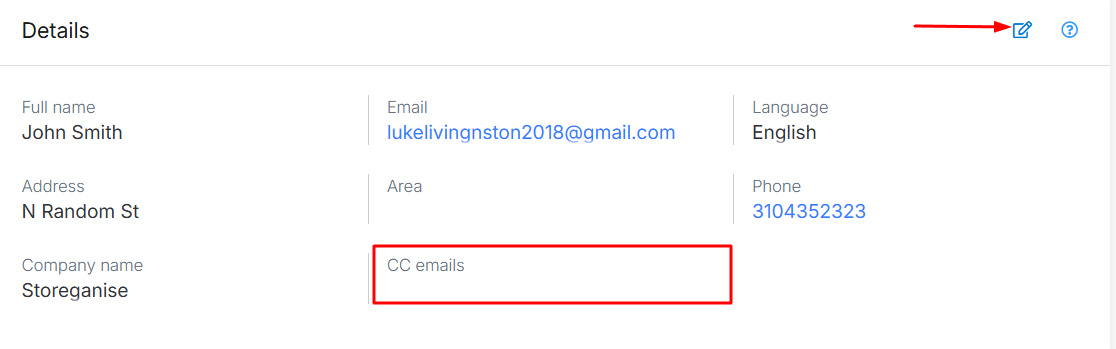
To update personal information, click the pencil icon. The language setting reflects the user's sign-up language, influencing system-generated emails in dual-language setups.- Name and Email: the user's name and the address all emails are sent to.
- Language: the language the user signed up in. On accounts with more than one language, system emails are sent in this language.
- Address: filled in automatically when the user places an order. You can edit it at any time.
- Phone: can be entered in any format.
- Company: optional, for business customers.
- Note that this is a legacy field which is not presented to the user and can only be populated in the Management Portal. If you need to collect company info from your customers, it's best advised to create a custom field for this purpose.
CC Emails
Add up to three email addresses to copy on every email sent to the user. This is useful when someone else needs to see the user's emails, such as a partner, accountant, or family member. It also helps with business accounts where several people follow a unit rental, like an office manager or accounts payable.- Open the user's profile.
- Click the pencil icon in the Details section.
- Enter up to three addresses in the CC emails field.
- Click Save.
Disable all emails for a user
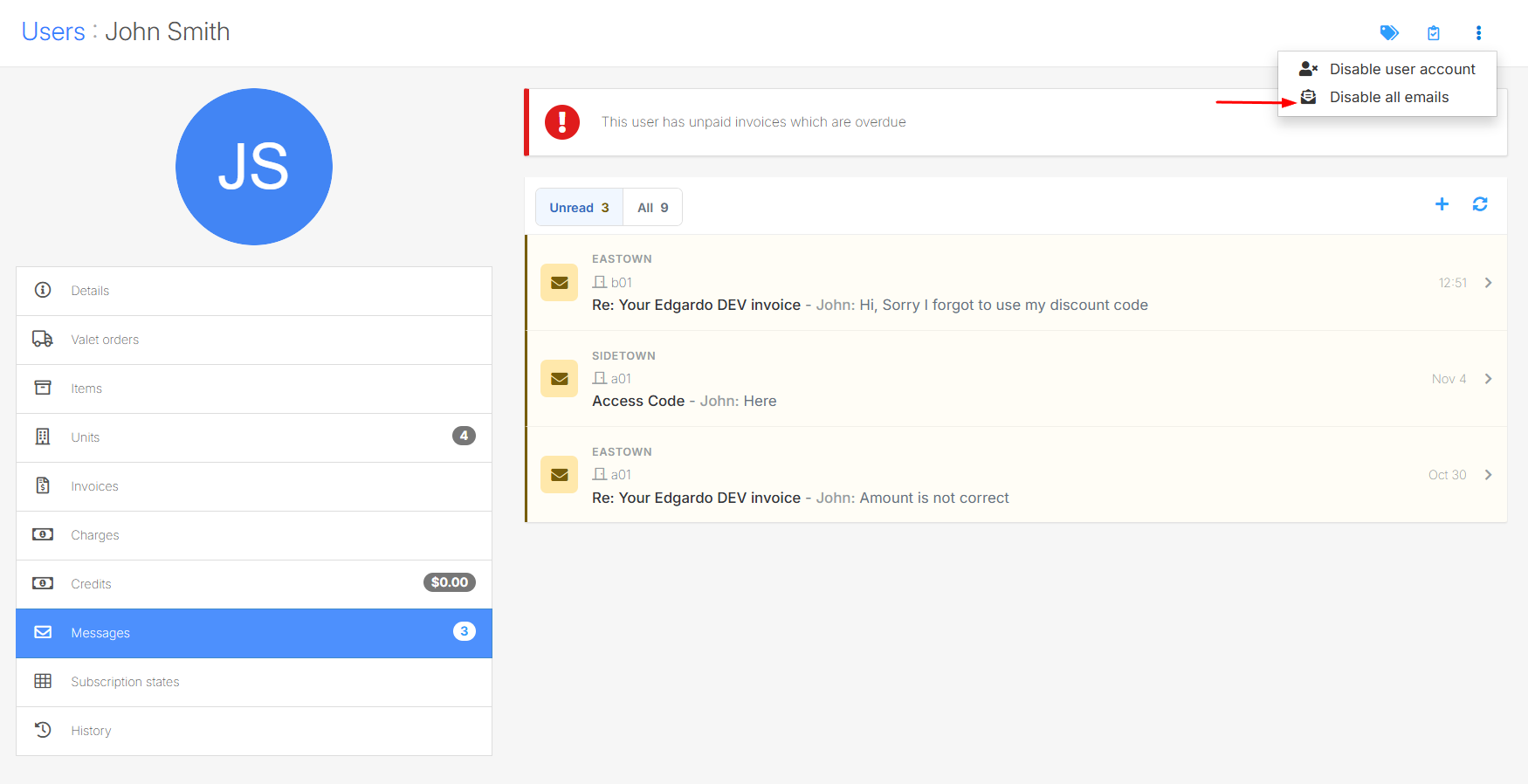
You can stop all emails to a user, for example if they asked not to be contacted by email or their address is invalid. This also stops emails to their CC addresses.- Open the user's profile.
- Click Disable all emails.
- Confirm, when asked.
Bounced email addresses
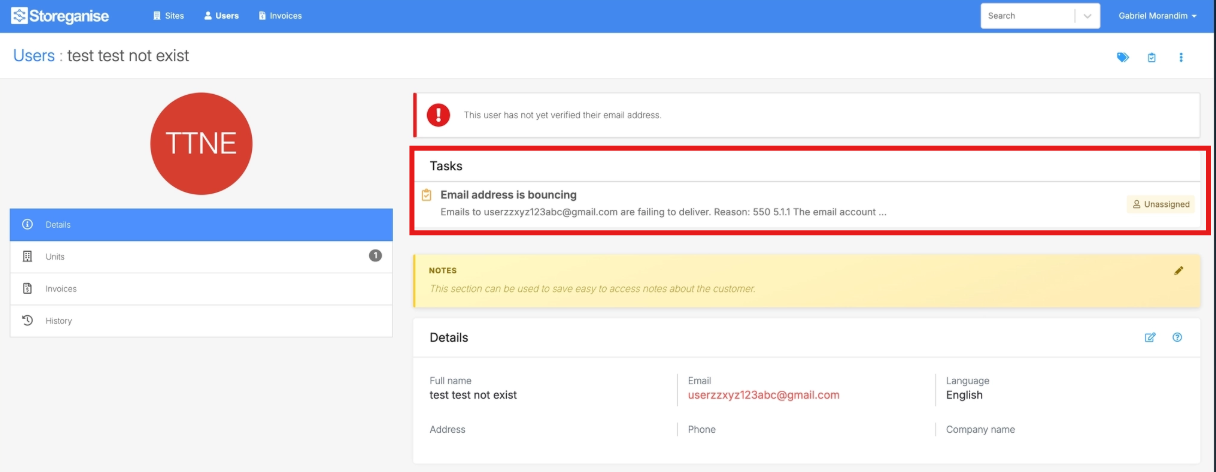
When an email to a user can't be delivered (a bounce), Storeganise flags the address as invalid. It then:- Disables all emails to that user automatically, so nothing else is sent to an invalid address.
- Adds a task to the user so your team can review and fix the address.
- Open the user's profile and find the bounced email task.
- Contact the customer to confirm their correct email address.
- Click the pencil icon in the Details section, update the email address, and click Save.
- Click Enable all emails to start sending emails again.
- Mark the task as done.
Custom fields
Billing
The billing section shows the user's billing method and payment details. See Billing section on user profile.User history
The History section is a full audit log of the user's account, including emails sent to them. It shows the latest 50 activities, newest first. You can also add your own comments and images.Jump to
Related articles
Email settings
Billing section on user profile
Tasks & reminders
Troubleshooting email delivery
Using notes in Storeganise