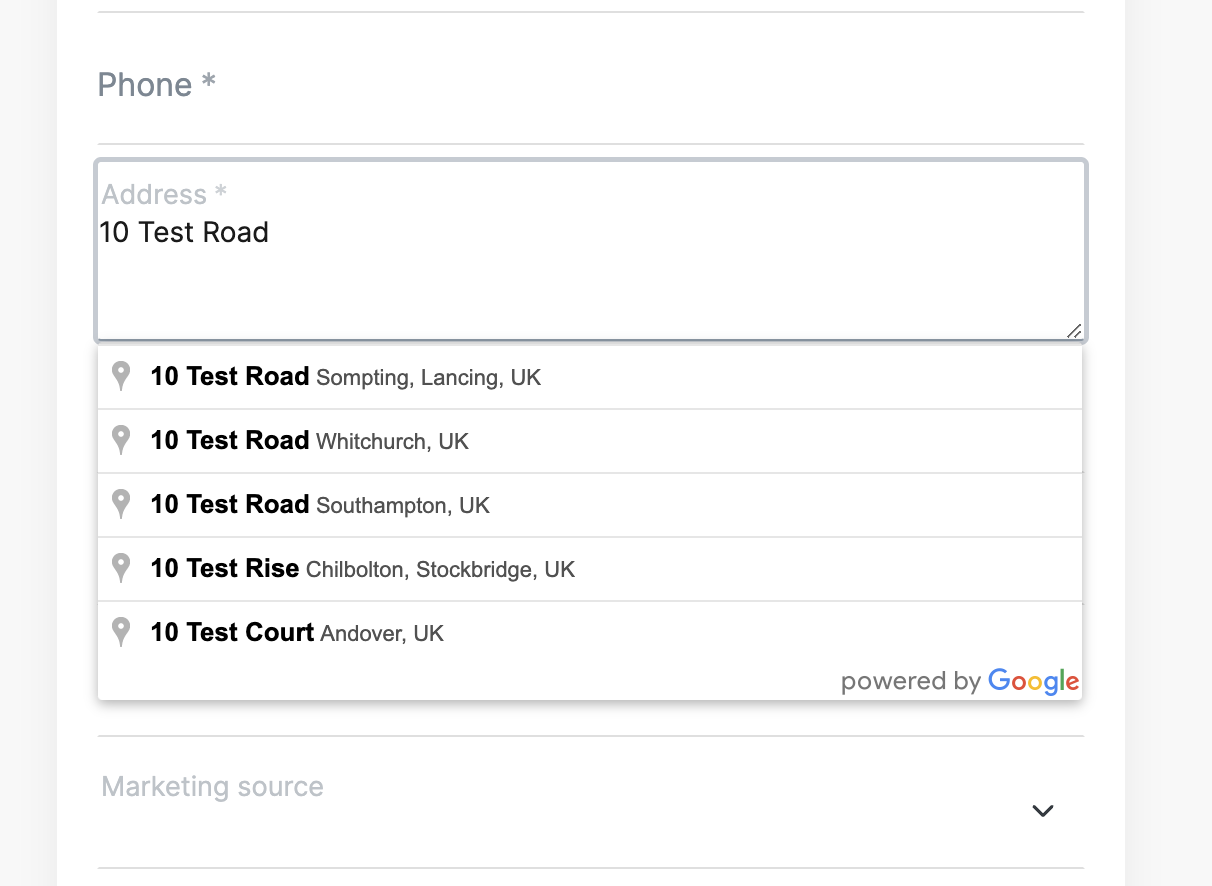
Add address autocomplete to the customer booking flow
Storeganise does not offer support for GTM use or guarantee that any custom GTM code will work within Storeganise. Additionally, periodic updates to the Storeganise API could impact or even break how custom GTM code works. Please note also that many users may not see changes made via GTM due to the widespread use of ad-blockers.
Steps
- Read up on Google Tag Manager and how it works
- Implement a new 'Custom HTML' tag using the example script below
- Set up a 'Element visibility' trigger to load the script
Script example
Note: You'll need to update parts of this script to work with your setup; for example:- Replace
{{yourAPIKey}}with a valid Google Maps API key - Replace fields like
unitOrder.account.customFields.postcodewith names of fields that match your custom fields.
<script>
// Docs: https://developers.google.com/maps/documentation/javascript/place-autocomplete
function initMapAC() {
  var addressInput = document.getElementById('unitOrder.account.address');
  var postcodeInput = document.getElementById('unitOrder.account.customFields.postcode');


  var autocomplete = new google.maps.places.Autocomplete(addressInput, {
    componentRestrictions: { country: 'uk' },
    types: ['address'],
    fields: ['address_components', 'formatted_address'],
  });
  console.log('Google maps address autocomplete has loaded', autocomplete);

  autocomplete.addListener('place_changed', function () {
    var place = autocomplete.getPlace();
    console.log('got place', place);
    var postcode = place.address_components.find(function(c) { return c.types[0] === 'postal_code' });
    if (!postcode) alert('Your adress does not have a valid postcode, please complete it');
    postcodeInput.value = postcode.long_name;
  });
}
</script>
<script id="__googleMapsScript" type="text/javascript" src="https://maps.googleapis.com/maps/api/js?callback=initMapAC&libraries=places&key={{yourAPIKey}}" async></script>
Triggering the script
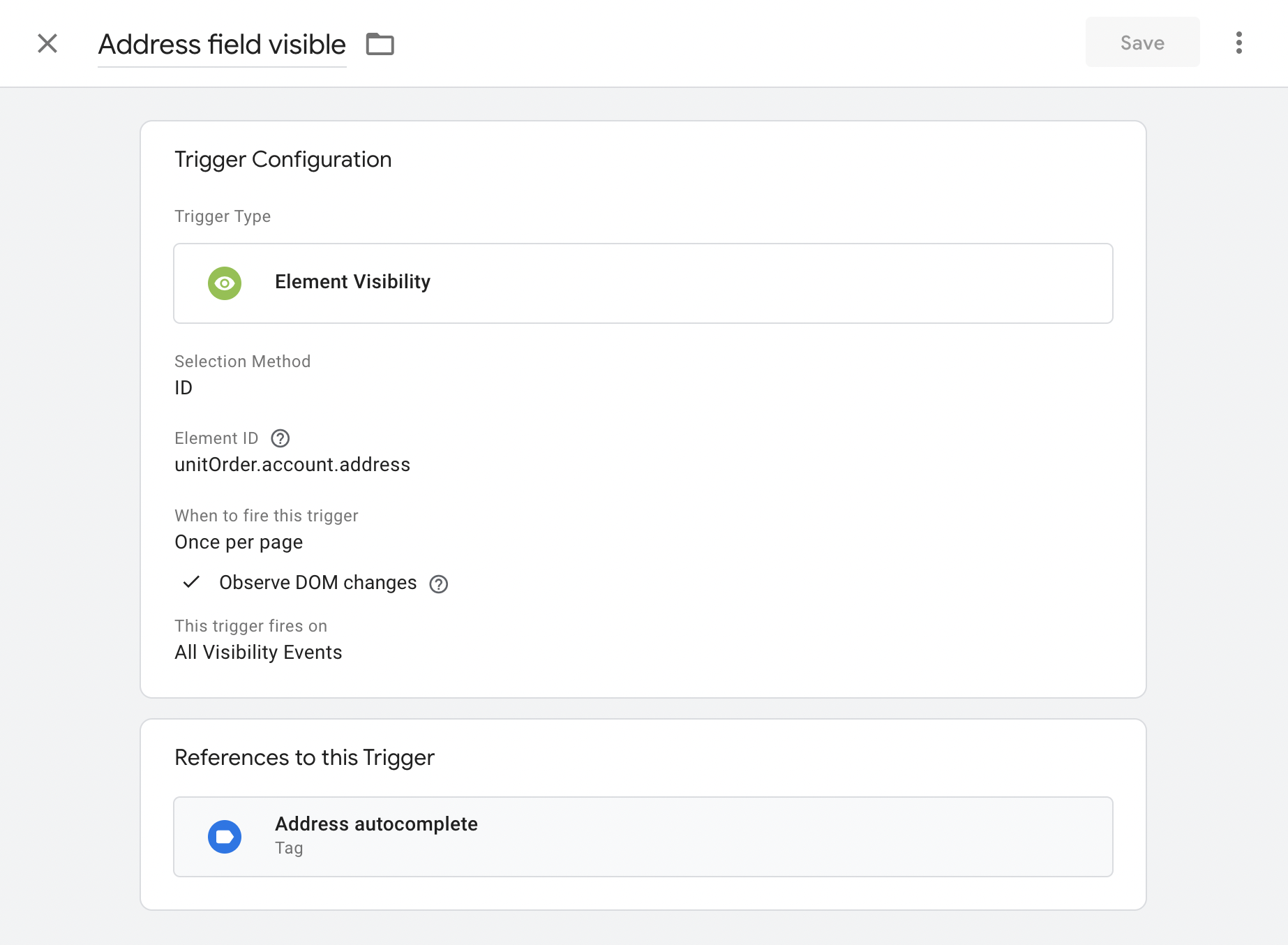
Google Tag Manager needs to know when to load the script; do this with a 'Element Visibility' style trigger. The element ID to target will usually beunitOrder.account.address (see example setup below)