Using helpers and conditions in your templates
Overview
Formatting helpers
Here are the list of formatting helper that you can use:or
uppercase
formatDate
formatTimeslot
formatDatePeriod
formatPrice
formatPhone
formatAddress
ifEquals
ifNull
uppercase Your invoice #{{uppercase invoice.sid}}


ifEquals Compares two values for equality. Use this for conditional statements based on value equality.{{#ifEquals site.title 'Central'}}
[Check our new promo available](https://example.org/test)
{{/ifEquals}}
formatPhone format phone without spaces (useful for links):[Call us](tel:{{formatPhone site.phone}})
formatAddress | | |
| - | - |
| Address | {{formatAddress user.address}} |
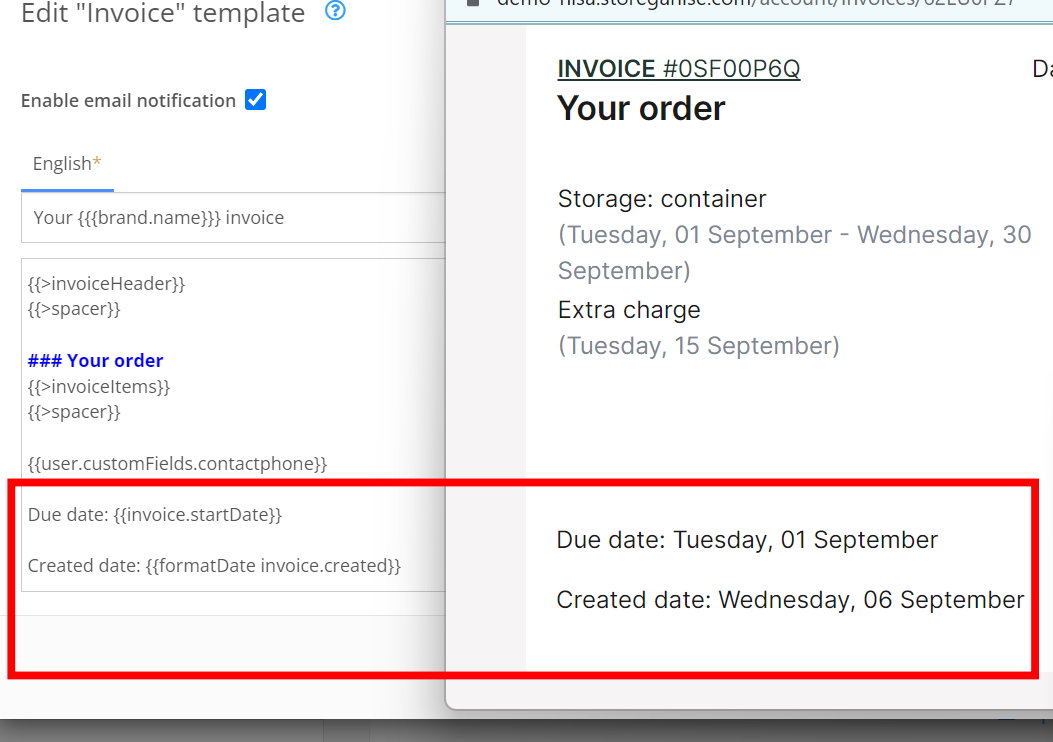
formatDate format the raw date into a more user-friendly format. Created date: {{formatDate invoice.created}}
Valet specific helpers
Here are the list of helpers specific to valet that you can use:// valet
ifIsCollectionOnly
ifIsDeliveryOnly
ifIsDeliveryAndCollection
ifCollectImmediately
ifCollectLater
ifHasItemsToCollect
ifHasItemsToDeliver
ifHasEmptyBoxes
ifHasBulkyItems
Invoices specific helpers
Here are the list of helpers specific to valet that you can use:// invoices
ifInvoiceFailed
ifInvoicePaid
ifCreditNote
ifCreditNote {{#ifCreditNote}}
### Your credit note
{{else}}
### Your order
{{/ifCreditNote}}
the else part is optional, you can also write
{{#ifCreditNote}}
### Your credit note
{{/ifCreditNote}}
Jump to