Disable and re-enable user account
Disable a user account
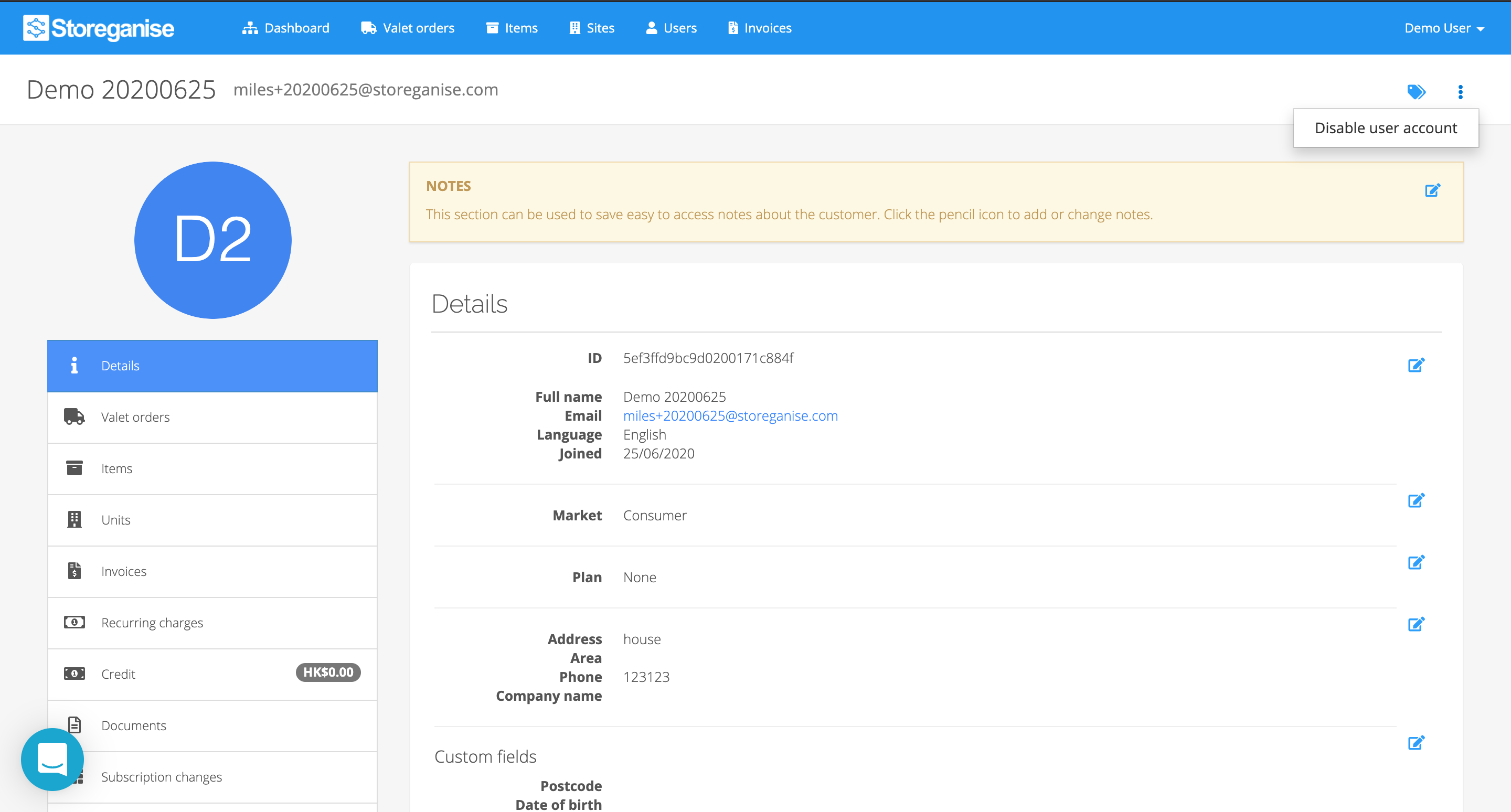
- If you would like to disable a user's account, click on the ⠇icon on the top right of the User's page and select Disable user account.
- You will be asked to confirm and then enter a reason.
Re-enable user account
To re-enable an account just click on the ⠇icon and select Re-enable user account.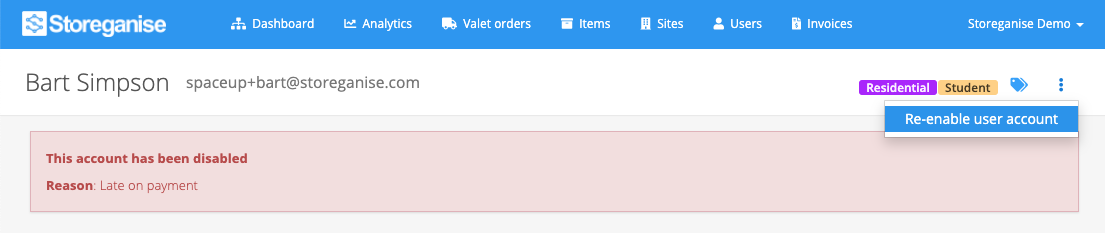
Jump to