Invoicing settings
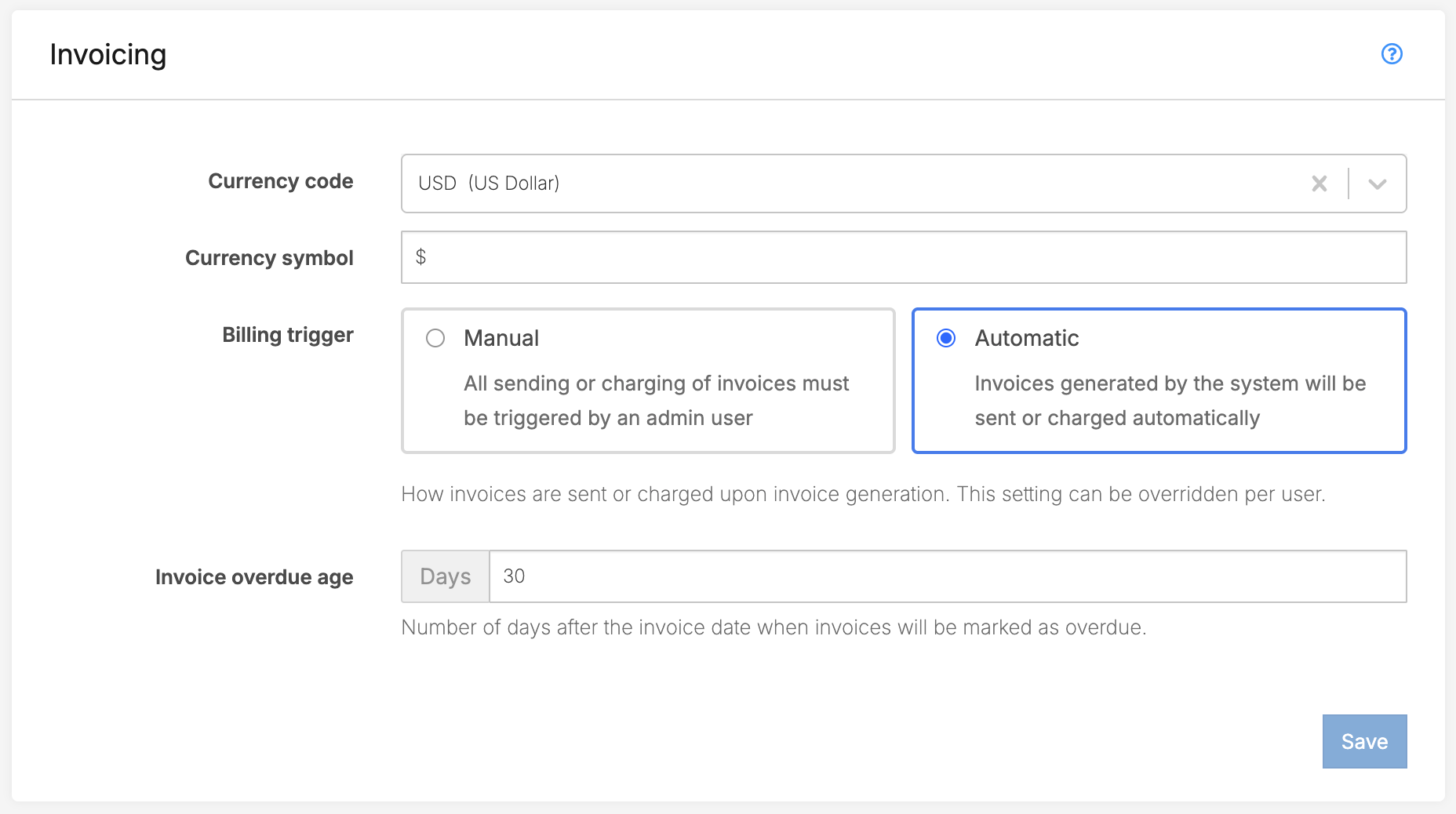
Currency
The currency code and symbol will appear throughout the system and in invoicing.Billing trigger
This is the default setting for how invoices will be processed by the system account-wide.- Automatic: If there is a payment gateway connected and the user has a payment method on file, invoices will automatically charge the customer's registered payment method. Otherwise, invoices will be emailed automatically as soon as they generate.
- Manual: Invoices will generate in a Draft state after which they have to be manually sent to the customer or charged (in the case the customer has payment details on file).
Invoice overdue age
Set the number of days that you want the system to automatically mark invoices as Overdue. The invoice overdue age is based on the invoice date:- The invoice date corresponds with the invoice period.
- If your invoices are generated ahead of time, this is not factored into the overdue setting.
Invoice overdue age to 5 .Invoice generation
This section is where you will set your invoice generation mode. To change or edit these settings please contact support@storeganise.com.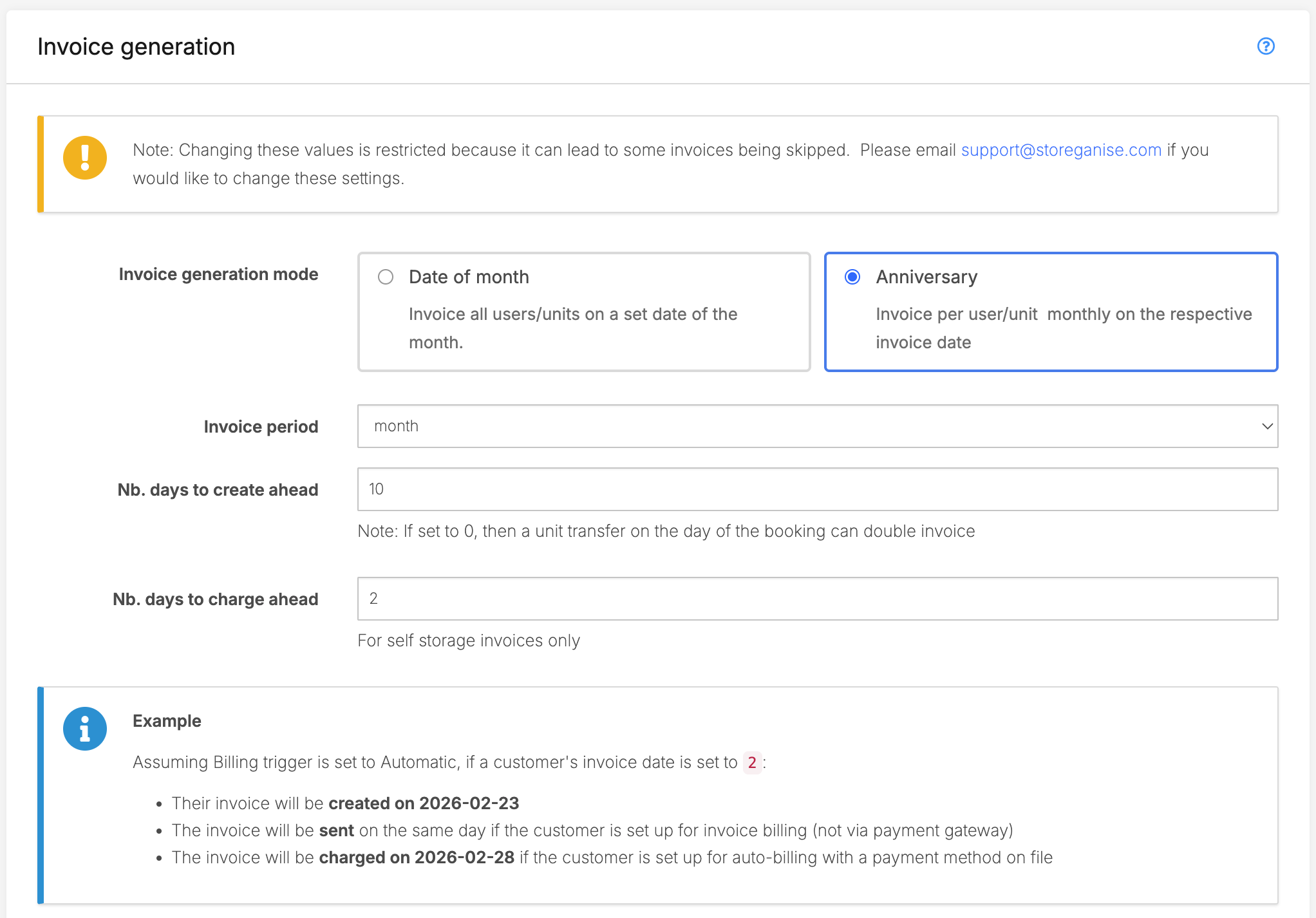
Manual payment methods
Tailor the list of the payment method options that will show when adding manual payments to invoices. This could include payment methods specific to your country or even specific bank account names so that you can quickly complete reconciliations for common recurring manual payments you may receive.Simply click the + button to add a new manual payment to your list.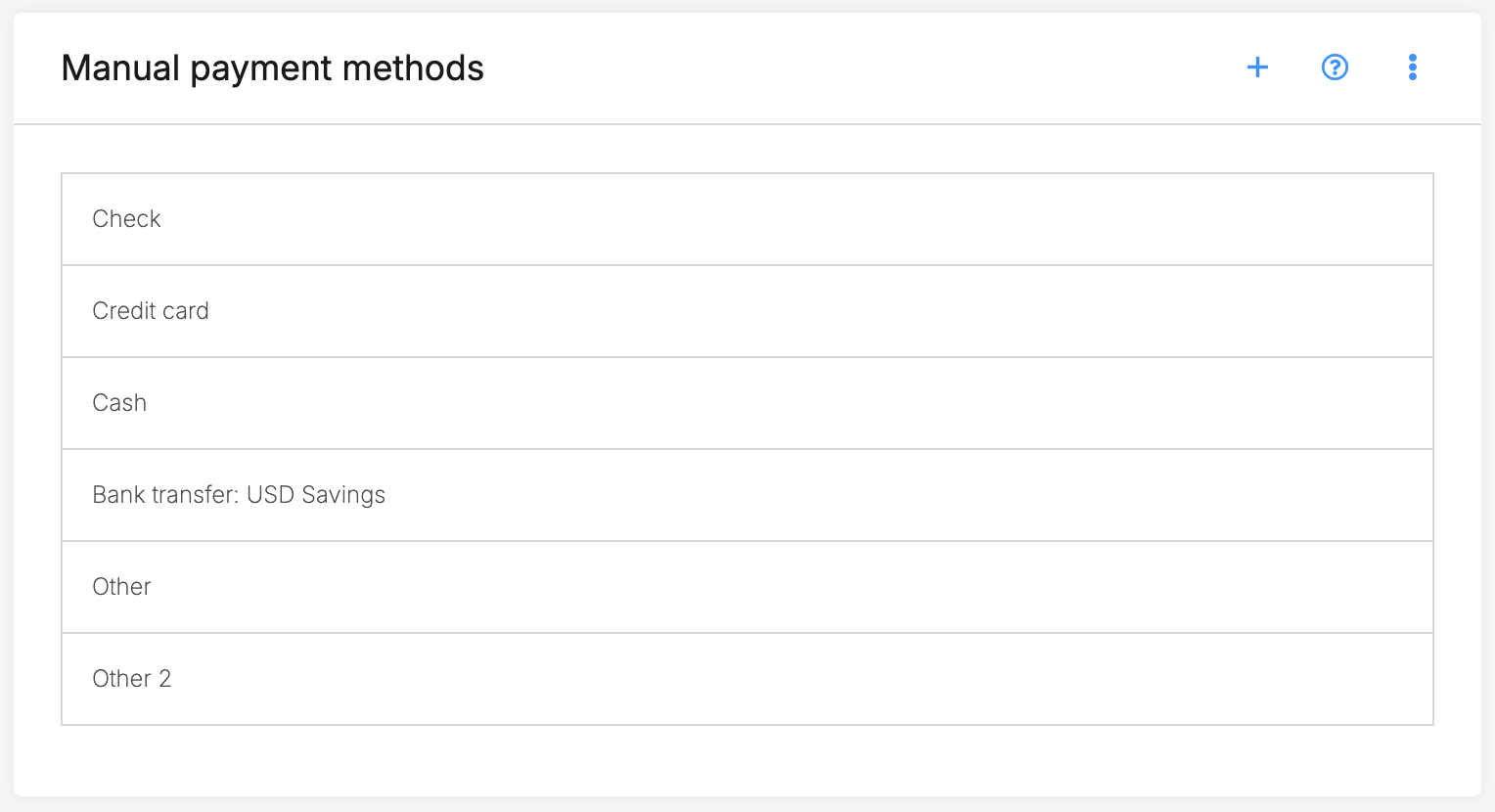
Jump to
Related articles
Invoice details, features, and functionality
Invoice generation: anniversary & date of month
Billing section on user profile
Invoice management