Introduction to the Add-ons marketplace
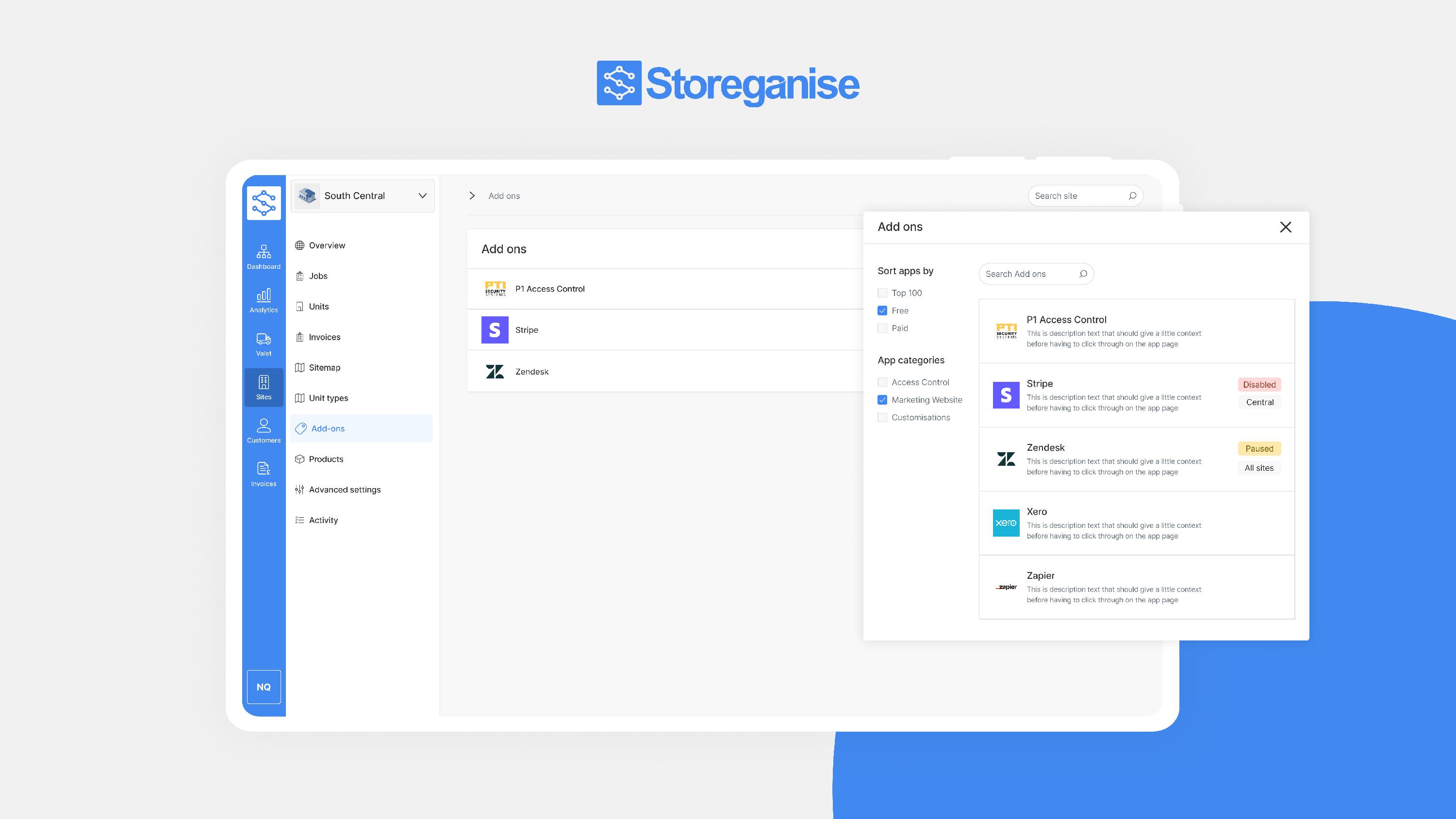
Award-winning marketplace
The Add-ons marketplace was recognized and won the Innovation award at the 2024 FEDESSA Self-Storage Awards for its impact on the industry.
Features
Add-ons can be configured for individual sites or applied across the entire business, depending on the scope and purpose (and the type of Add-on). Review the description of each Add-on to understand how it can be used and its specific features.- Customization: Enhance and tailor your user experience, including website adjustments and feature modifications, like the Calcumate Add-on which helps you to customize your customer-facing website.
- Integration: Seamlessly connect with various third-party services for expanded capabilities such as Access control, payment processing and accounting.
Finding and installing the Add-ons
- Navigate to theAdd-onssection in your Storeganise account.
- Main settings > Add-ons or 'Go to Sites > [Site] > Add-ons'
- Add-ons can be installed site or business-wide, depending on the Add-ons purpose. In the case of Access control Add-ons these should almost always be installed per site.
- Browse the available options and review each Add-on's description for details on features, pricing, and setup instructions.
Note: All add-ons require support assistance for installation. Please reach out if you need help.
Pricing for Add-ons vary; some may be free, while others might have associated costs. Visit the Add-ons marketplace for the latest pricing information.
Installation statuses
When enabling Add-ons, there are three statuses:- Disabled: The Add-on is inactive and will not sync, which means the external system cannot access Storeganise.
- Paused: The external system can access Storeganise, but no syncs are initiated. This is the default state when an Add-on is first installed.
- Enabled: The Add-on is fully operational, and Storeganise will synchronize with the external system when events occur (e.g. move-ins/move-outs).
Setup tips
- Enable only when ready: Ensure all settings are configured before enabling the Add-on. Enabling the Add-on prematurely may cause issues.
- Review Setup Documentation: Some features include setup instructions with links to additional help guides.
Related articles
Add-on: Xero
Add-on: Calcumate storage calculator
Add-on: Stripe Identity
Add-on: PTI access control
Add-on: Twilio SMS
Add-on: Automated rent increases (ECRI)