Email Sender Authentication
Storeganise allows you to use your own domain for the "From" email, so emails like invoices and order confirmations display your branded address. To prevent these emails from being flagged as spam or not delivered at all, you need to authenticate your domain with DNS records, confirming that Storeganise is authorized to send emails on your behalf.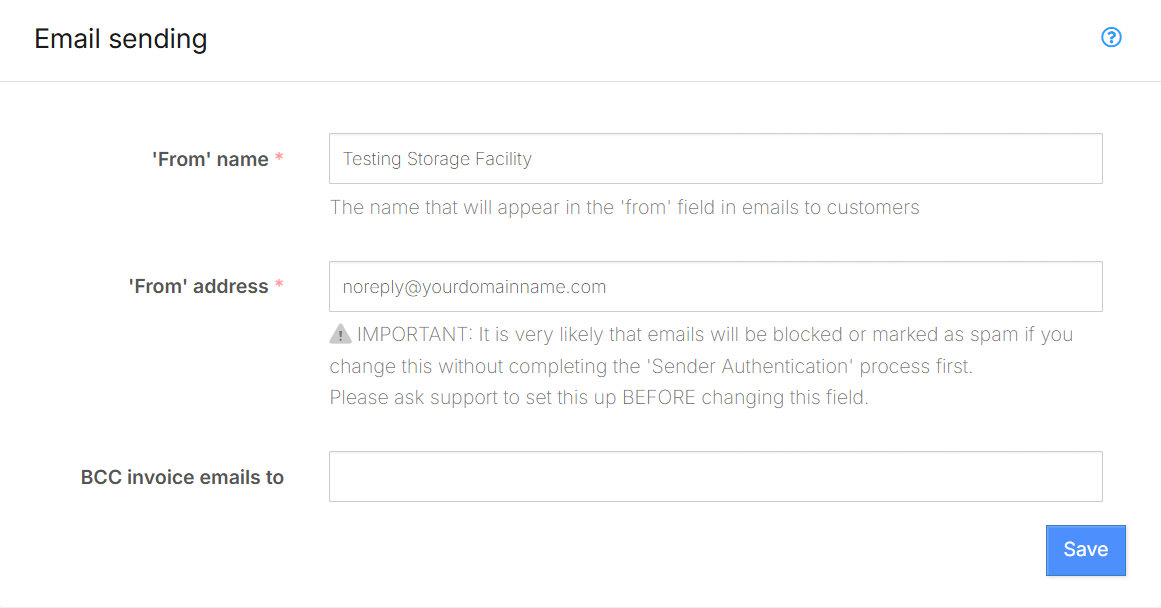
- From' Name:
- 'From' Address:
- BCC Invoice Emails To:
Changing the 'From' address
- Contact Storeganise Support to request a change to the 'From' address.
- Follow the instructions provided in the link to add the required DNS settings.
Adding DNS Records
Note: Demo below is interactive using GoDaddy.
- Log in to GoDaddy and go to My Products
- Select DNS next to your domain
- Click Add new record
- Add the necessary DNS records
- Click Save.