The AI Booking Assistant Add-on is an AI-powered chat tool designed to streamline unit selection and increase online bookings by providing instant, dynamic customer support and unit recommendations. The assistant includes configurable prompts, multilingual support, and built-in analytics to help operators improve customer engagement and track performance.This feature allows visitors to your website to ask questions about your self storage business and receive contextual replies about your sites, units, pricing, promotions, and more.It is embedded directly into both your main website and your Customer Portal and requires virtually zero setup, as it utilizes unit and facility information already present in your Management Portal.
Features
AI-guided bookings – The Assistant walks users through choosing a location, selecting a unit size, and identifying any promotions, simplifying the booking journey.
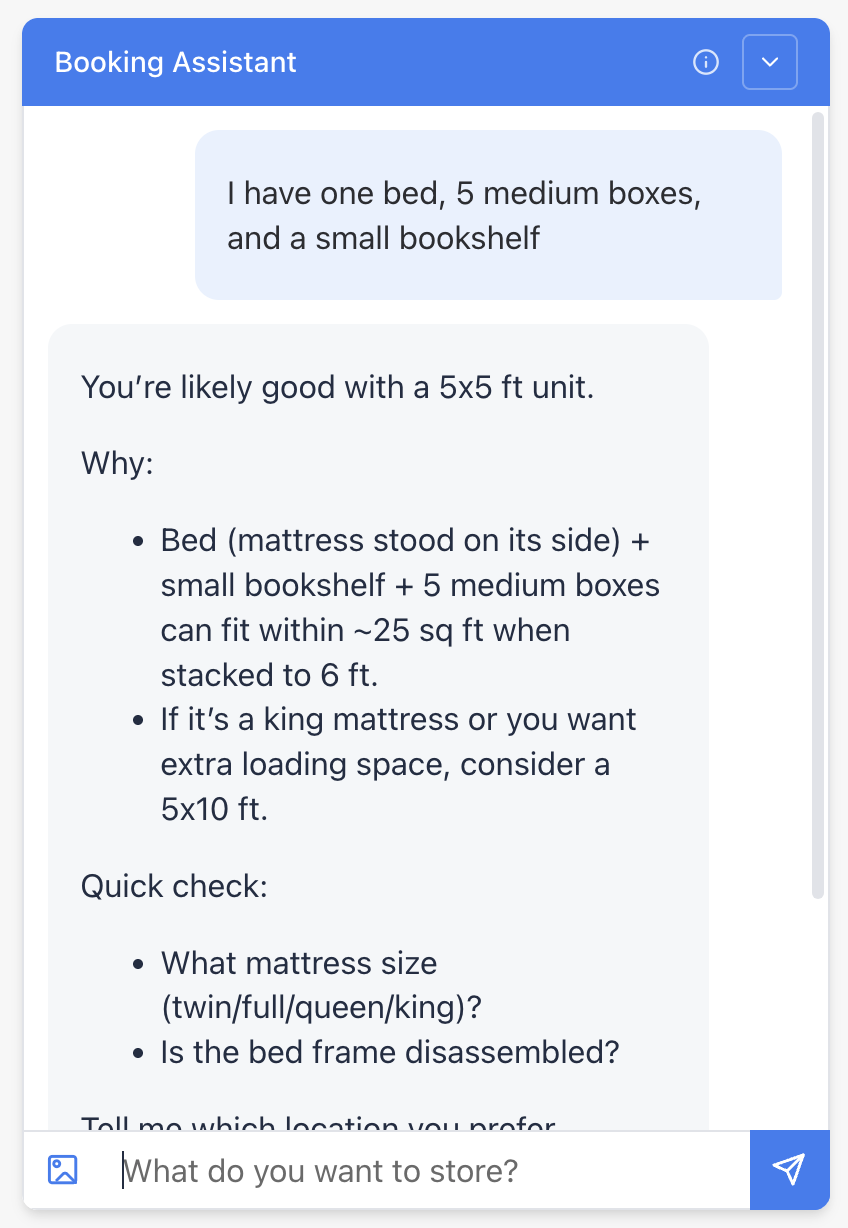
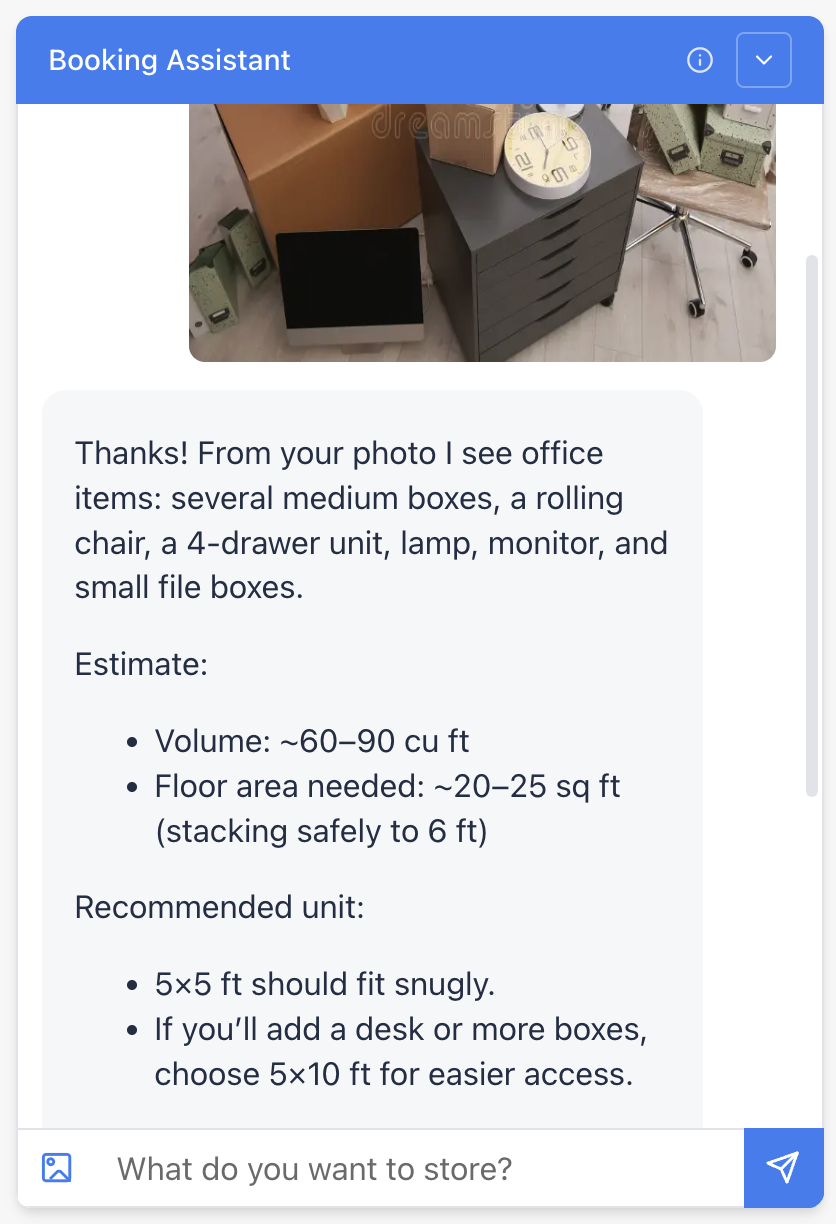
Find the right unit size instantly – Customers can simply type a short list of their items (e.g., “sofa, 10 boxes, bike, TV”) or upload a photo of their belongings, and the Assistant will estimate the ideal unit size in seconds. The system can analyze an uploaded image, identify the contents, and generate a precise, tailored unit recommendation based on what’s available.
Real-time pricing and availability – The tool connects directly to your Storeganise data to show live unit inventory, current prices, and promotions. Customers always see accurate, up-to-date information, increasing booking confidence and conversion rates.
Facility information – In addition to unit size selection, the Assistant can answer questions such as opening hours, insurance pricing, or access details by pulling information from your facilities.
Seamless hand-off – In the event the chatbot is unable to provide an adequate response, it will defer to providing your company’s contact information if more assistance is needed.
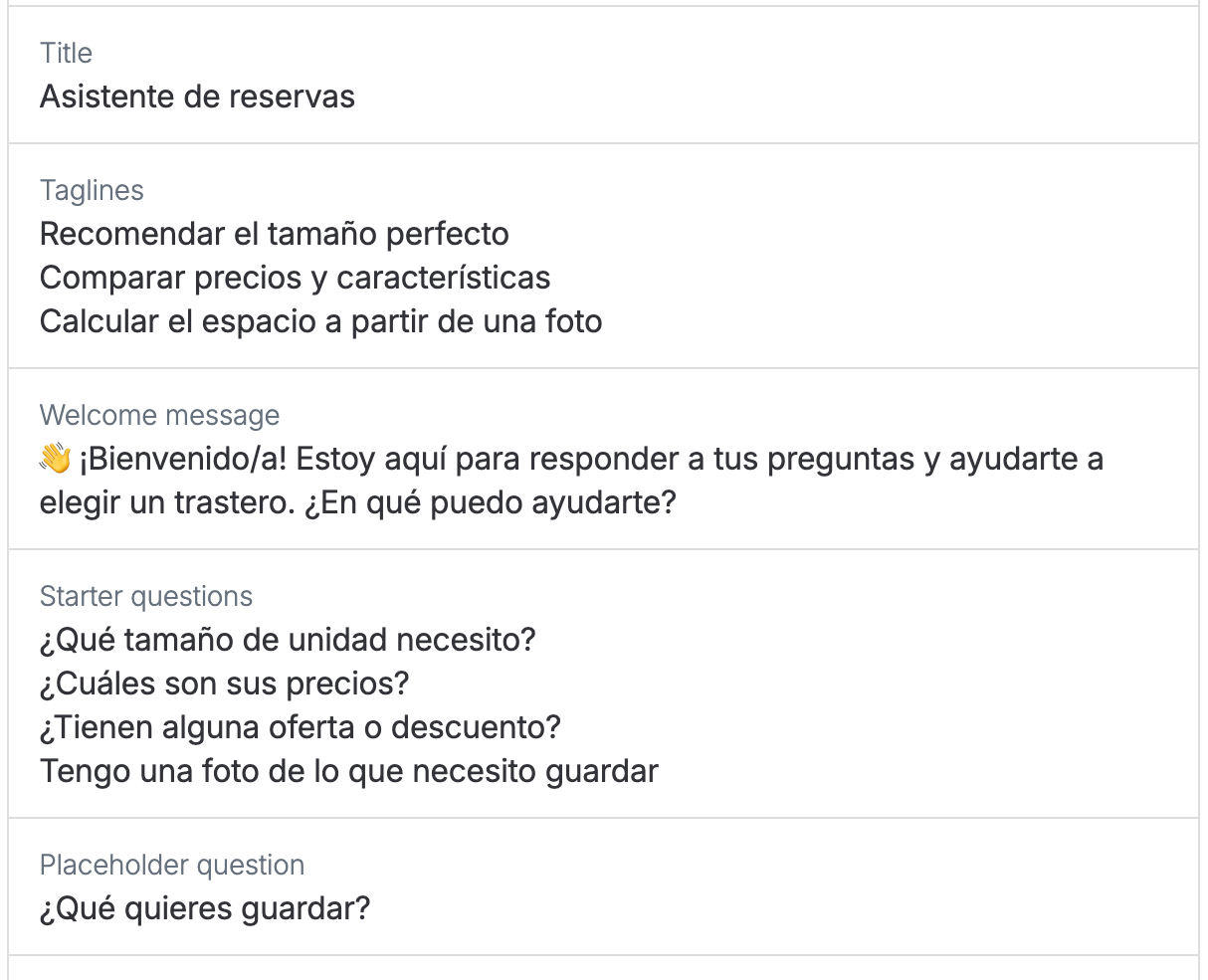
Multi-language support – The Assistant can communicate with customers in multiple languages and can be configured with custom starter prompts to guide users toward common actions.
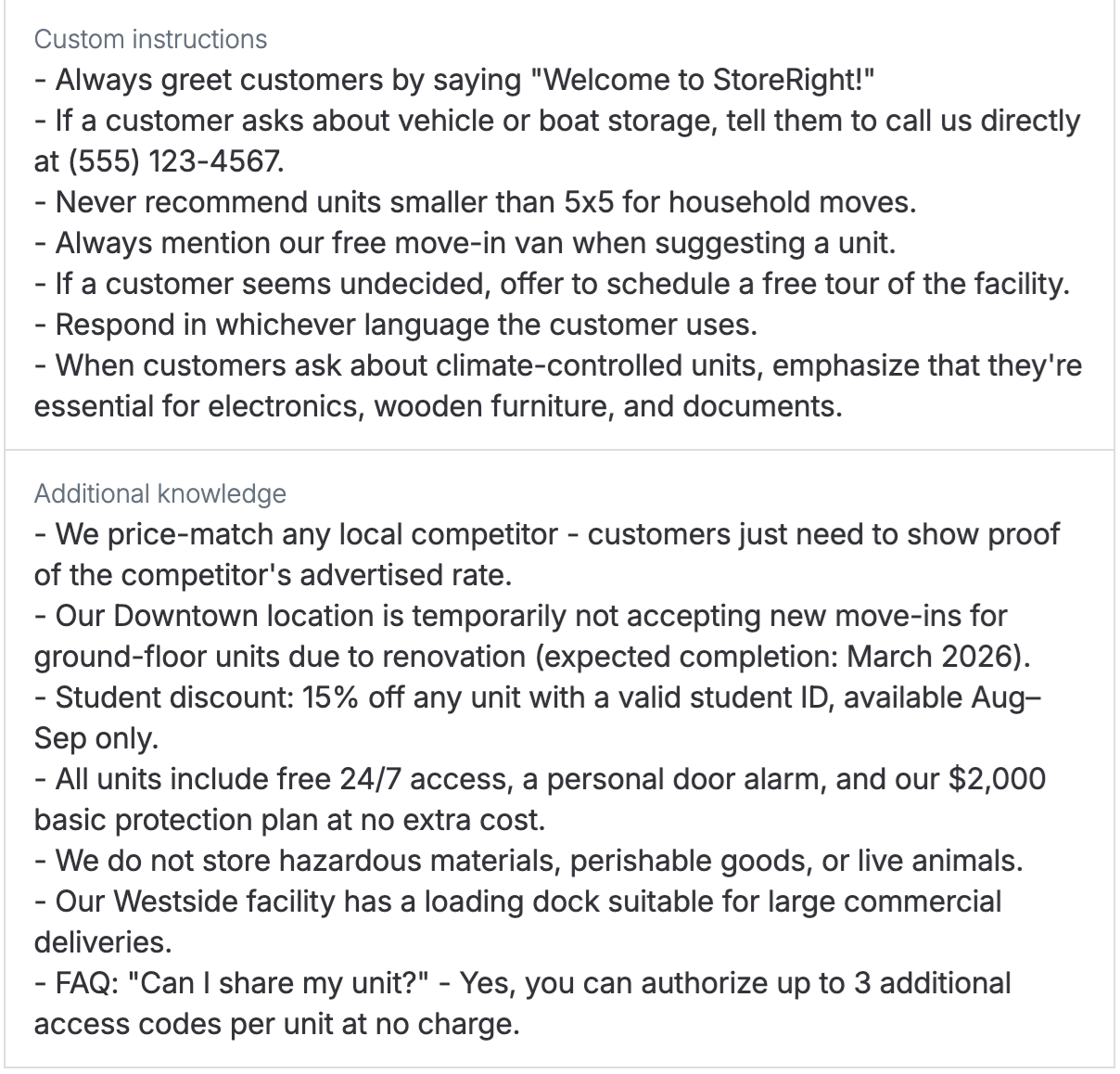
Operator context – Operators can add additional business context directly in the Add-on settings so the assistant can provide more accurate responses about facility policies, services, and promotions.
Analytics and usage insights – Operators can track how customers interact with the Assistant through Google Analytics/UTM tracking and internal usage reporting, including daily summary reports and engagement insights.
⚠️ Important – Unit specific pricing
The AI Booking Assistant currently directs customers to book via unit type pages and may bypass the sitemap view.
If your site uses unit-level bookings (different prices per individual unit within the same unit type), the assistant will apply the unit type price only, not the individual unit price.
Getting started
The AI Booking Assistant is designed for seamless implementation with no manual setup or data entry required.
Prerequisites
Before you start, make sure:
You have a live Storeganise Customer Portal
Your unit and facility information is up-to-date in your Management Portal
The more detailed and accurate the information in your account is, the better the Booking Assistant can help your customers
Setup
Install the AI Booking Assistant at the business-level in your main settings
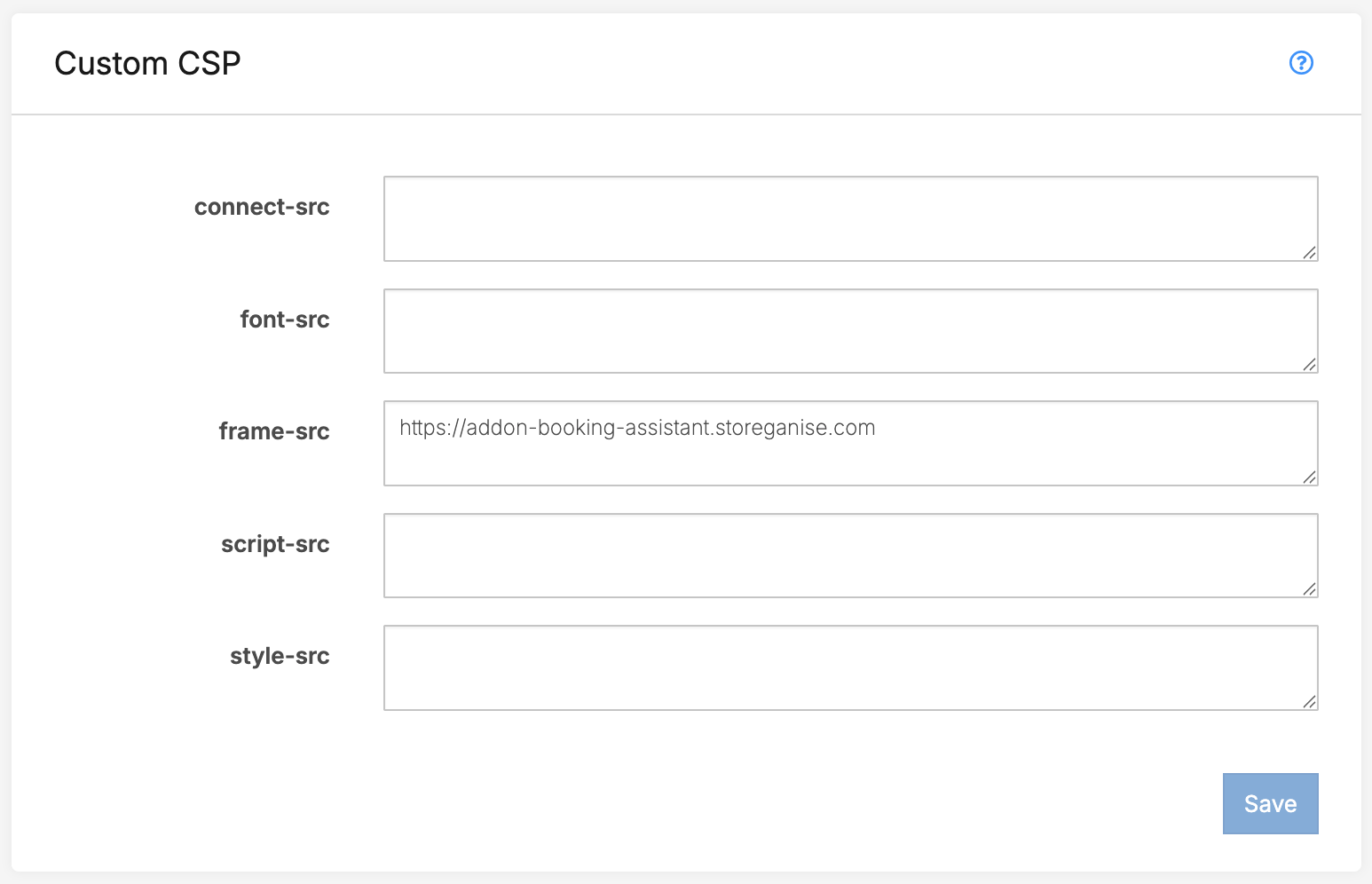
Go to Main Settings > Developer > Custom CSP and add the following line to the frame-src area:https://addon-booking-assistant.storeganise.com
Fill out the settings
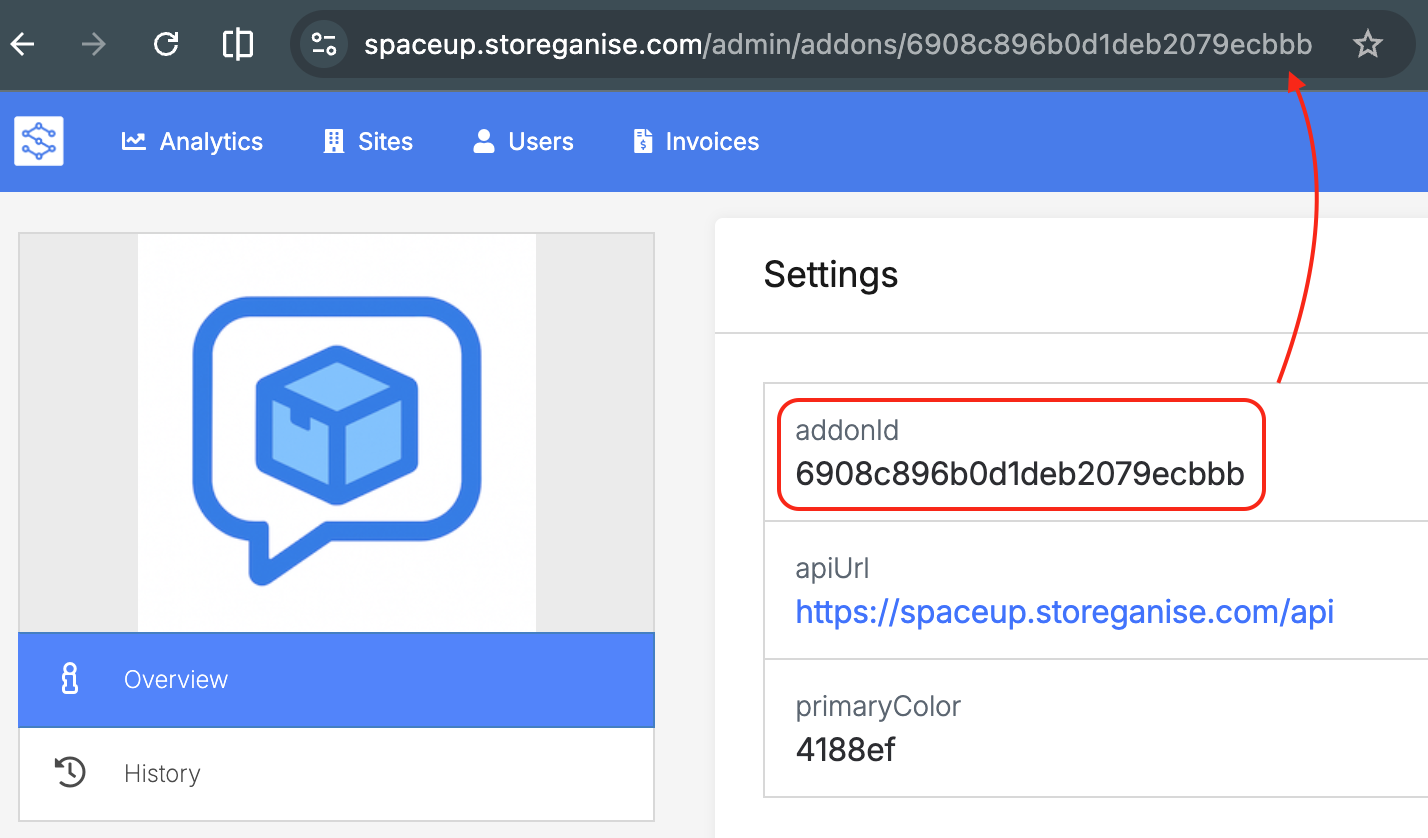
addonId: Found in the URL of the Add-on
apiUrl: Enter https://[yourbusiness].storeganise.com/api replacing [yourbusiness] with the name of your Storeganise account
primaryColor: Enter your desired hex color code to match your brand
Click the Enable button to instantly embed the AI Booking Assistant live on your Storeganise website and Customer Portal.
If you use a custom website or booking portal, please reach out to support to request the code snippet required to install the AI Booking Assistant on your website.
How it works
The AI Booking Assistant provides dynamic and efficient guidance to customers by answering their questions and analyzing photos.
Using the AI Booking Assistant
A user can activate the AI Booking Assistant in one of two ways:
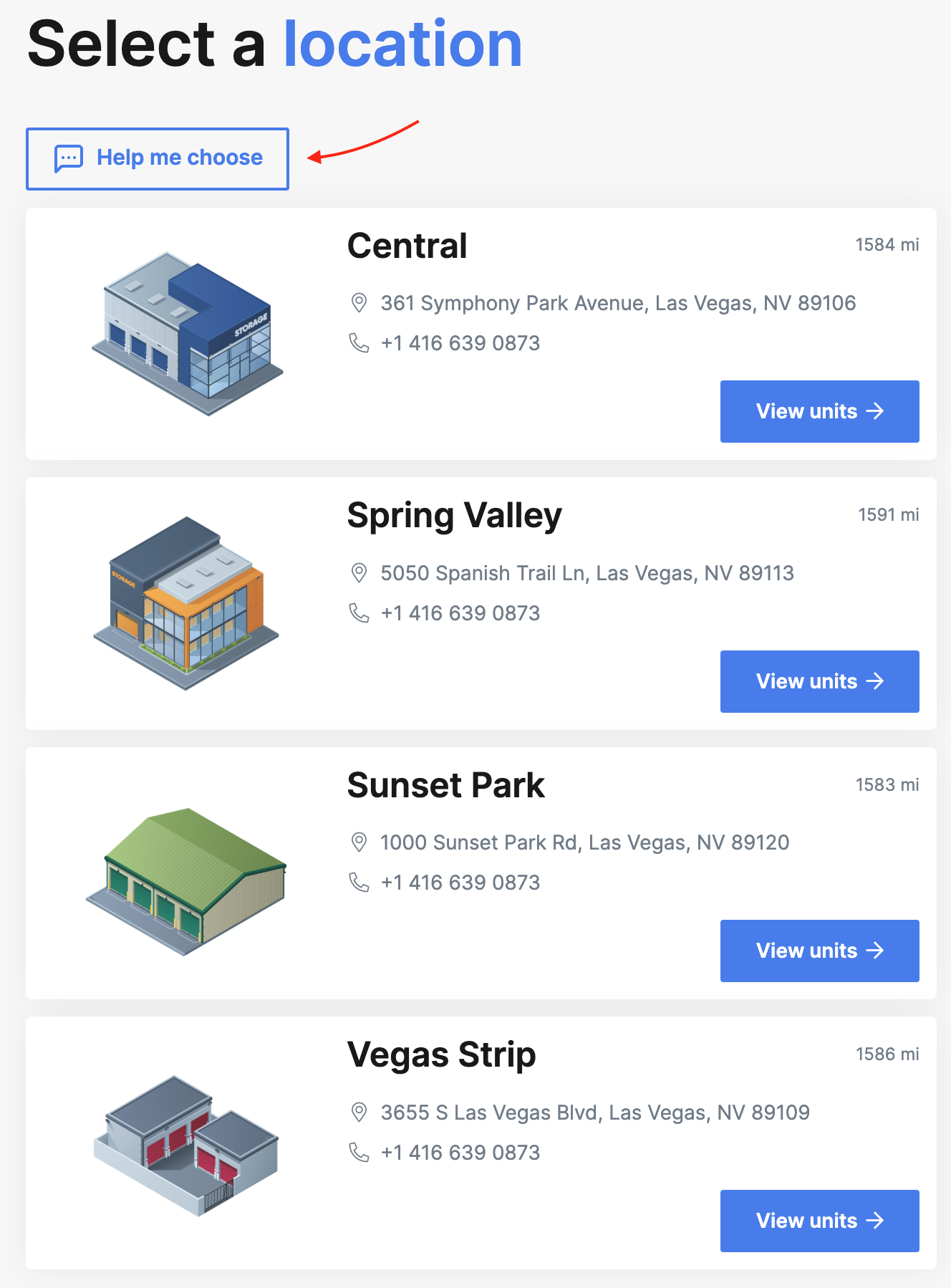
Clicking the dedicated Help me choose button found on the site and unit type selection pages
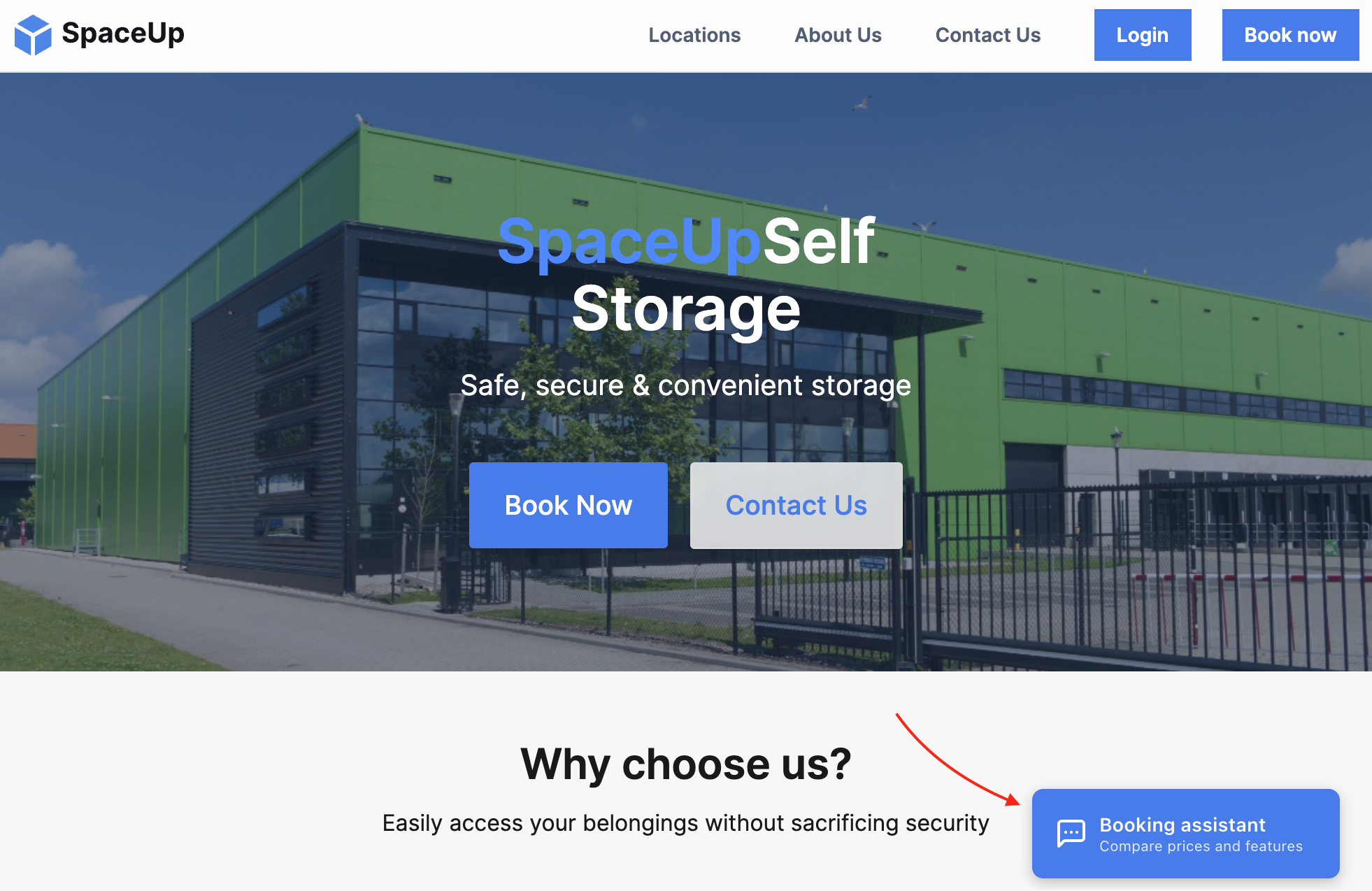
Clicking on the floating beacon, found in the bottom corner of each page
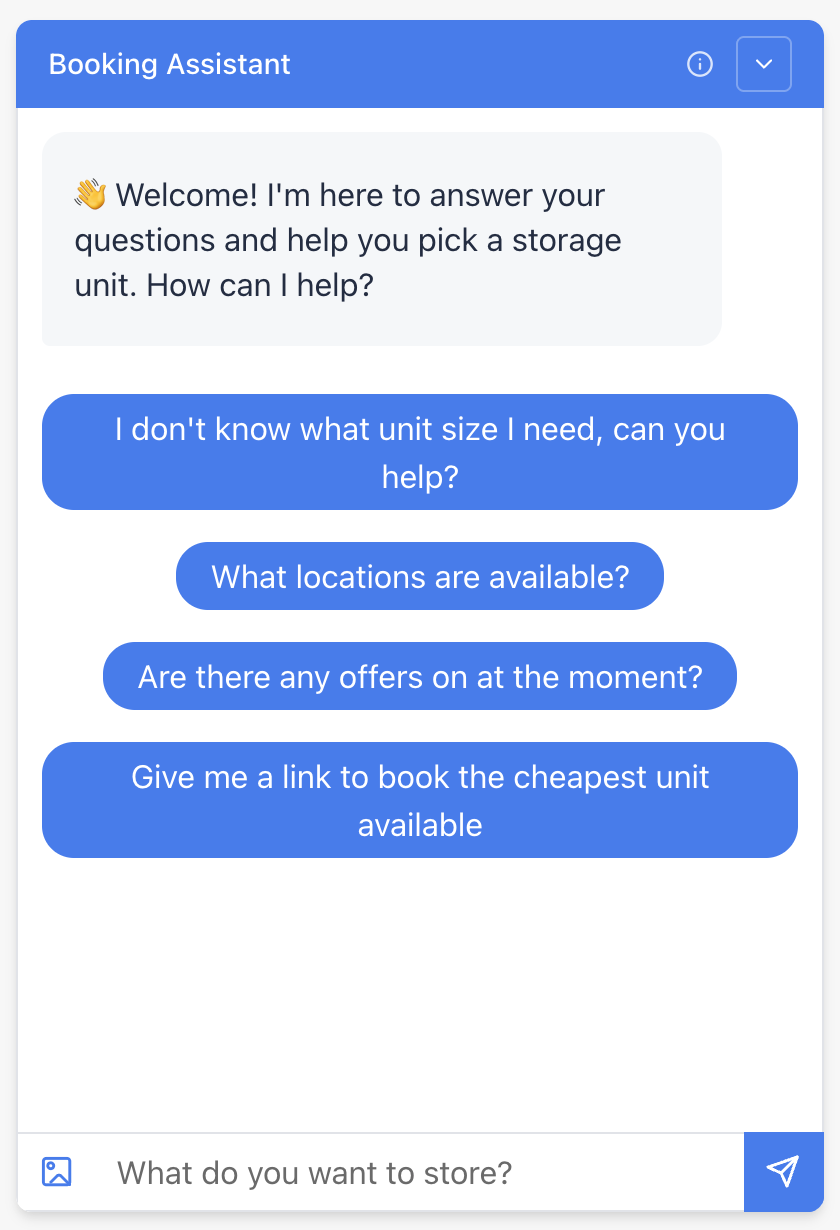
This opens the chat widget, allowing the customer to:
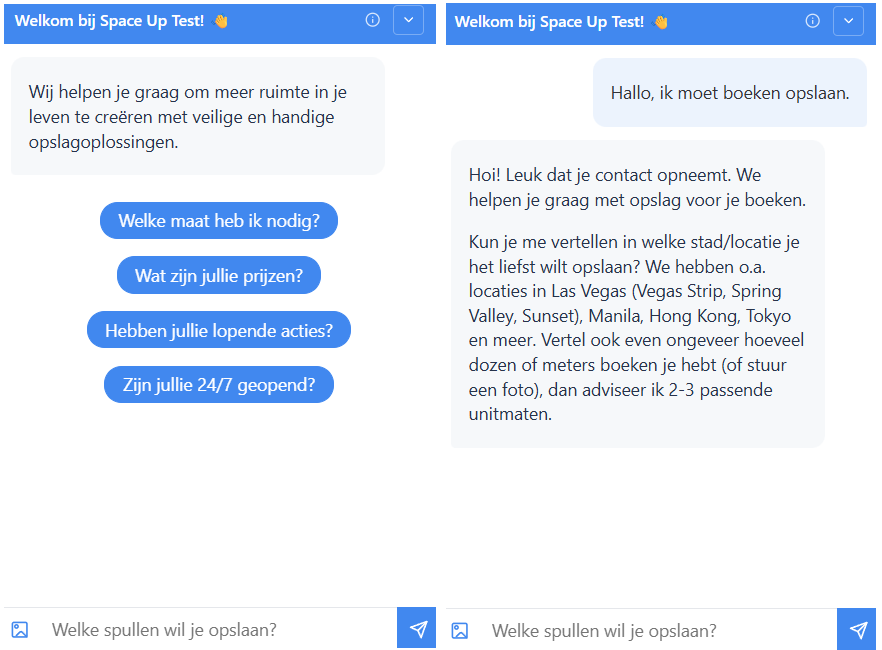
Select from a list of default questions
Ask their own questions
Upload an image, or open their device's camera to take a photo
This button opens the image uploader
The AI instantly processes the text or analyzes the image contents in real-time, providing a response in seconds
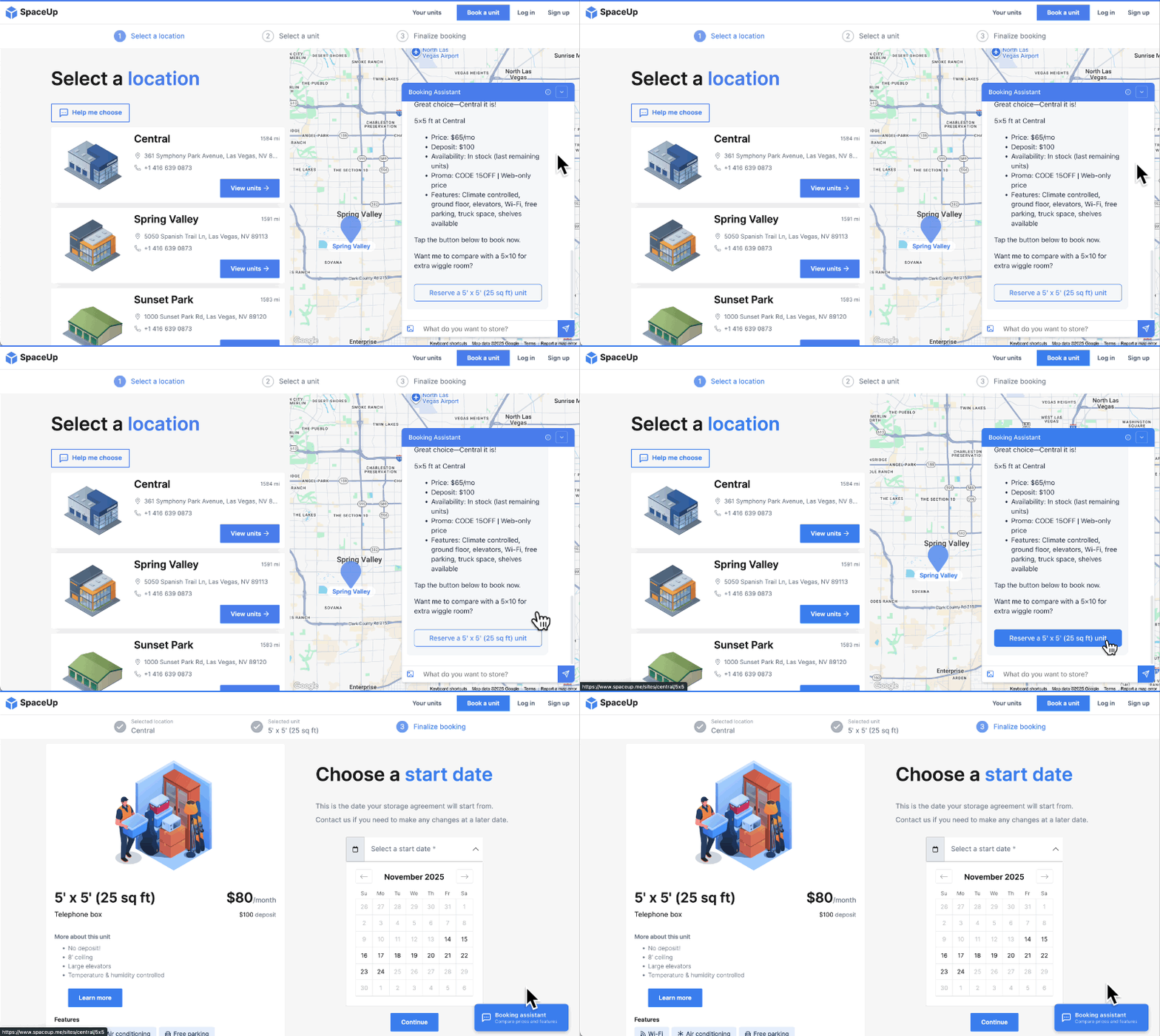
It recommends the best available unit, complete with current pricing and any active promotions
The customer is provided with a direct link to that unit type to quickly proceed with a reservation
Customizing the AI Booking Assistant
The AI Booking Assistant can be configured to better match your business and guide customers toward common actions.
Language support
Customers can interact with the assistant in multiple languages, allowing them to communicate in their preferred language. The system automatically detects the language used and responds accordingly.
Custom starter questions
Starter questions appear when the chat widget opens and help guide customers toward common actions. These prompts make it easier for customers to begin interacting and quickly find the information they need.
Operator context
Operators can add additional business context directly in the Add-on settings. This allows the assistant to provide more accurate and relevant responses based on information specific to your business.
To configure these settings, you can simply add the relevant content directly in the Add-on settings. Here's how:
Go to Main settings.
Navigate to Add-ons > AI Booking Assistant.
Open the Add-on settings and enter the content in the appropriate fields.
Save your changes.
Once configured, the system will use the provided content when responding to customers, display the configured starter questions when the chat widget opens, and incorporate the additional context when generating responses.
Analytics & Tracking
Provides insights into how customers interact with the AI Booking Assistant and helps measure engagement and booking activity.
Google Analytics and UTM
The AI assistant supports GA4 and UTM tracking, allowing operators to monitor customer interactions and track traffic generated through marketing campaigns.Events generated by the AI Booking Assistant are automatically forwarded to your analytics setup but tracking them requires you to configure the appropriate triggers and tags in GTM. If you haven't set up GTM yet, please refer to our guide here.
Available GTM EventsEvery event includes these base properties:
ba_session_id - unique identifier for the conversation session
ba_category - always booking_assistant
Event
Trigger
Additional Properties
storeganise_bookingAI_opened
Widget opened
page_url
storeganise_bookingAI_started
First message sent
page_url, starter_question
storeganise_bookingAI_message
Each user message
message_index
storeganise_bookingAI_reply
Each assistant reply
tools_used(array indicating what the assistant did to generate the reply)
storeganise_bookingAI_site_select
User selects a site
site_code
storeganise_bookingAI_link_click
User clicks a booking link
site_code, unit_type_code
storeganise_bookingAI_closed
Widget closed
message_count, duration_seconds
To track any of these in GTM, you can create a Custom Event trigger using the event name (e.g. storeganise_bookingAI_link_click ) and map the properties as variables to pass through to GA4 or your ad platform. This event is particularly useful as a conversion event, as it captures the specific site and unit type the visitor was interested in.
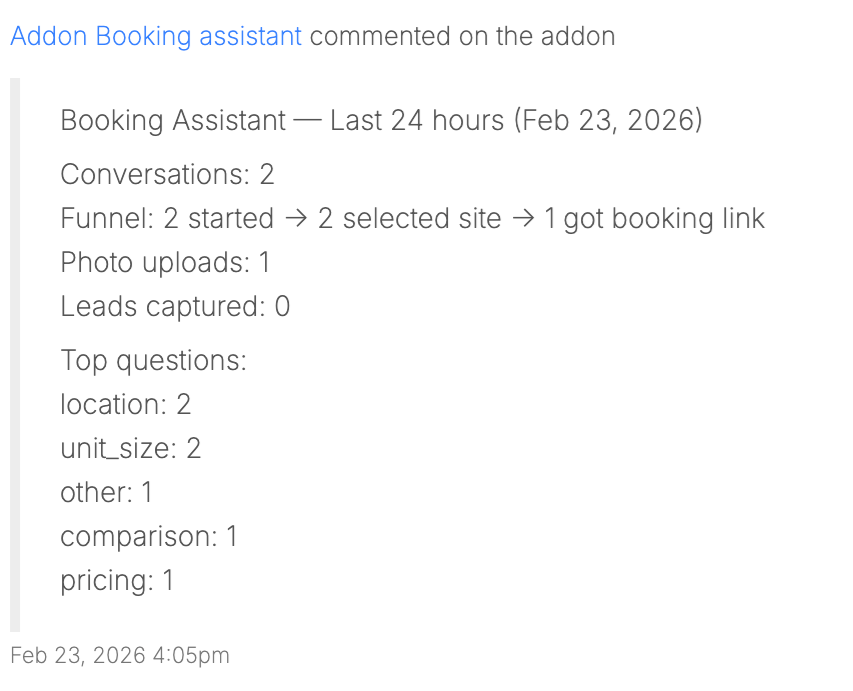
Operator reporting
The AI Booking Assistant also provides operator-facing reporting within the Admin app, giving visibility into how customers are interacting with it.
These insights help operators better understand customer behavior and identify opportunities to improve engagement and the booking experience.
Ready to get started?
Send us your request and the Storeganise team will install the AI Booking Assistant for you.

 To configure these settings, you can simply add the relevant content directly in the Add-on settings. Here's how:
 These insights help operators better understand customer behavior and identify opportunities to improve engagement and the booking experience.