Site-wide email announcements
Announcements are one-time emails sent to customers currently renting at a site. They’re intended for updates that affect your customers, such as planned maintenance, holiday hours, gate code changes, or restricted access during renovations.Unlike other emails in Storeganise, announcements are not triggered automatically. Each announcement is written and sent manually, and is sent only once.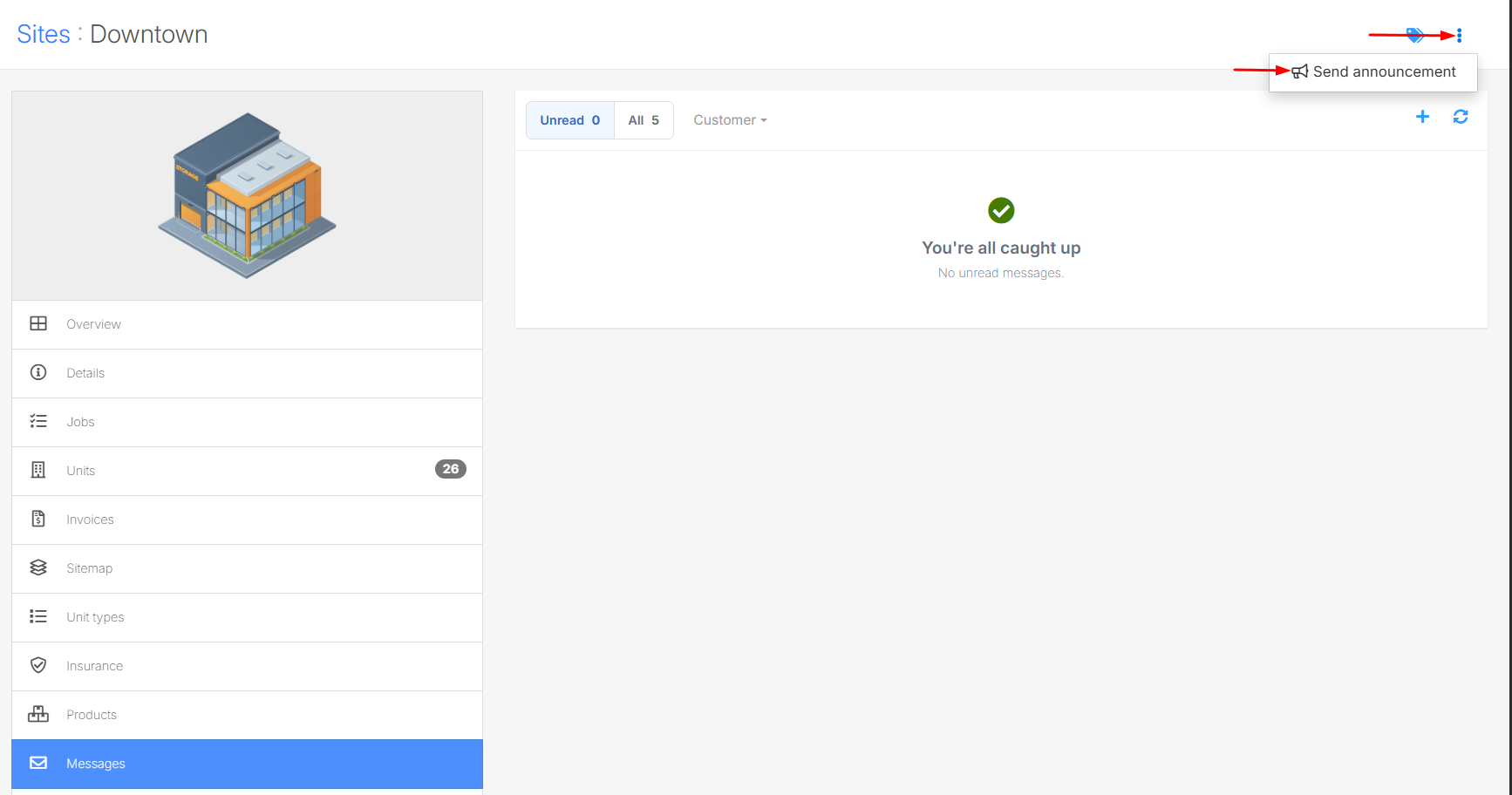
Note that you must enable two-way email in order to send site announcements
Who receives an announcement
When you send an announcement, it goes to every active customer at the site. You can also choose a specific unit type to only contact customers renting that type, such as customers with 5 x 5 units.- Each customer receives an individual email, so they won’t see who else received it.
- Each customer receives the email in their own language if you’ve added a version for that language.
- Customers whose email address is flagged as undeliverable are automatically skipped.
- Former customers and leads don’t receive announcements.
Sending an announcement
- Open the site.
- From the left-hand menu, click Messages, then Send announcement.
- Optionally, select a unit type to only send the announcement to customers renting that unit type.
- Enter the subject and message, or select a saved announcement template.
- Click Continue to review the announcement.
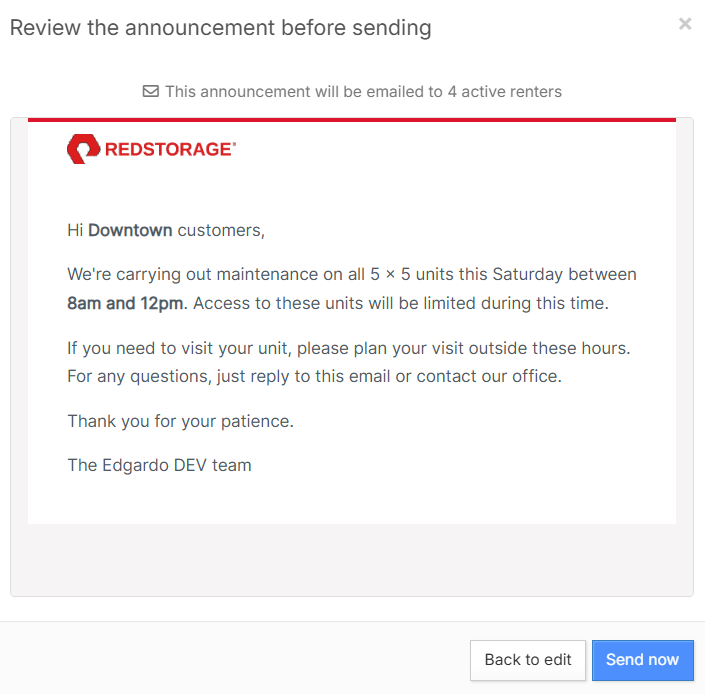
- Check the recipient count, language breakdown, and email preview.
- Click Send now to send the announcement.
Example
To notify customers renting 5 x 5 units about planned maintenance, select the 5 x 5 Unit type in step 3 and enter:Subject: Maintenance on 5 x 5 UnitsMessage:Hi {{site.title}} customers,
We’re carrying out maintenance on all 5 x 5 units this Saturday between 8am and 12pm. Access to these units will be limited during this time.
If you need to visit your unit, please plan your visit outside these hours. If you have any questions, reply to this email or contact our office.
Thank you for your patience.
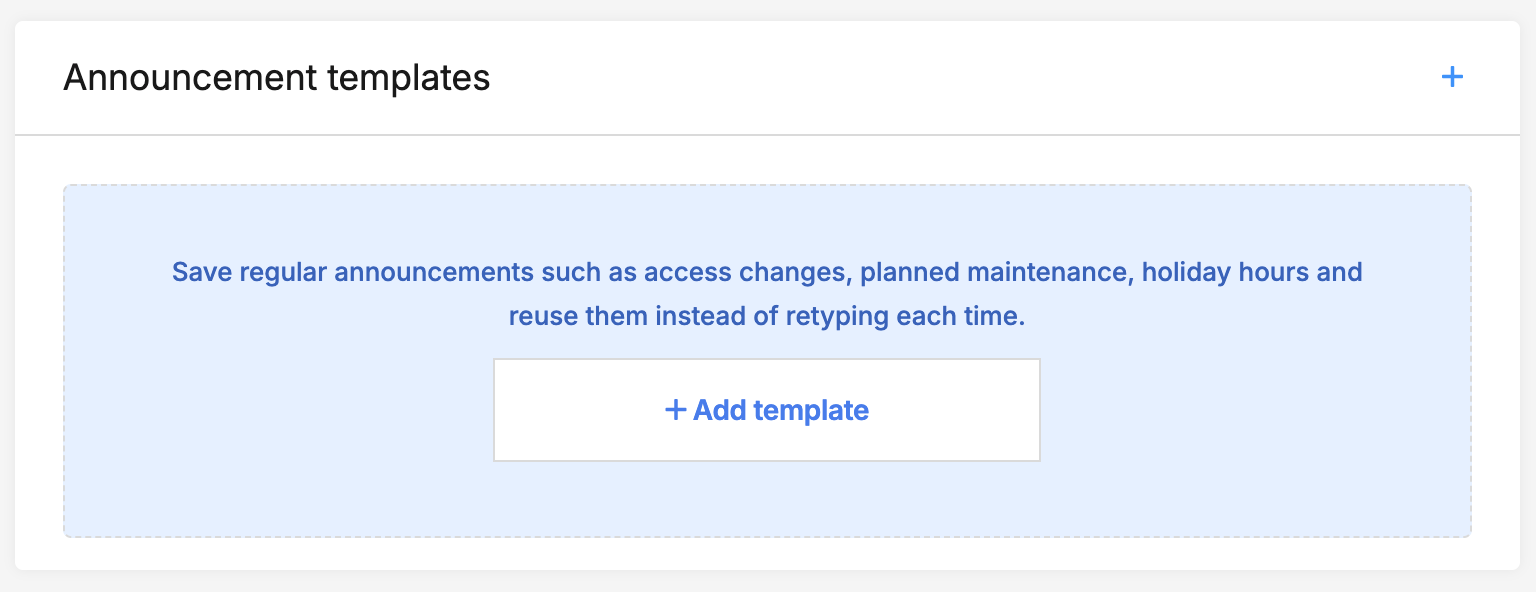
Using announcement templates
If you send the same kind of message regularly, save it as an announcement template. You can then select it in step 4 instead of writing the message from scratch.Templates are created in Main settings > Emails, with a version for each language you use. They support the same placeholders as your other email templates, such as the site name and your company name. See Email settings for how to create one.View sent announcements
Every announcement you send is recorded in the site’s History, so you can check what was sent and when.Limits
Each site can send up to five announcements per week. This prevents customers from receiving too many emails in a short time.FAQsCan I schedule an announcement to send later?No. Announcements are sent as soon as you confirm.Can I send an announcement to customers at more than one site?No. Announcements are sent per site. To reach customers at several sites, send one from each site.Do announcements support two-way communications?No. Announcements are not housed within the messages section for two-way communications.Why did some customers not receive the announcement?Customers whose email address is flagged as undeliverable are skipped. Check the customer's profile for a bounced email task. See User details.Jump to
Related articles
Email settings
Emails for admin users
Email Sender Authentication